Google PageSpeed Insights: Understanding and optimizing loading times
Fast loading times not only improve the user experience, but are also a direct ranking factor for Google. With PageSpeed Insights, technical weaknesses can be identified, evaluated and optimized in a targeted manner - for better visibility, lower bounce rates and higher conversion rates.
In-depth performance analysis using lab and real data
What is Google PageSpeed Insights?
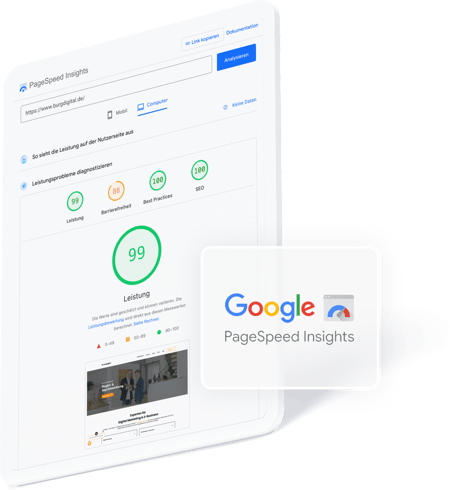
Google PageSpeed Insights (PSI) is a free tool from Google that analyzes the performance of a website and identifies potential for optimization. It evaluates not only the loading time, but the entire user experience based on objective key figures.
For a realistic picture of actual website performance, PSI combines lab data from the Lighthouse test, which is carried out under defined conditions, with field data from the Chrome User Experience Report (CrUX), which is based on anonymized user data from real Chrome users over the last 28 days. The results are output separately for mobile and desktop versions, with Google giving particular weight to the mobile user experience.
Page performance for visibility, usability & conversion success
Why loading speed is crucial
The loading speed of a website is no longer a purely technical nice-to-have, but a key success factor. It has a significant influence on user behavior, reduces bounce rates and has a direct impact on visibility in search engines.
Google rates page performance, especially on mobile devices, as an important ranking factor. Fast loading times not only ensure better indexing, but also higher rankings and increased user satisfaction. PageSpeed is therefore an integral part of the digital user experience and a clear signal to search engines for quality and relevance.
Google evaluates performance with Lighthouse data
How PageSpeed Insights measures performance
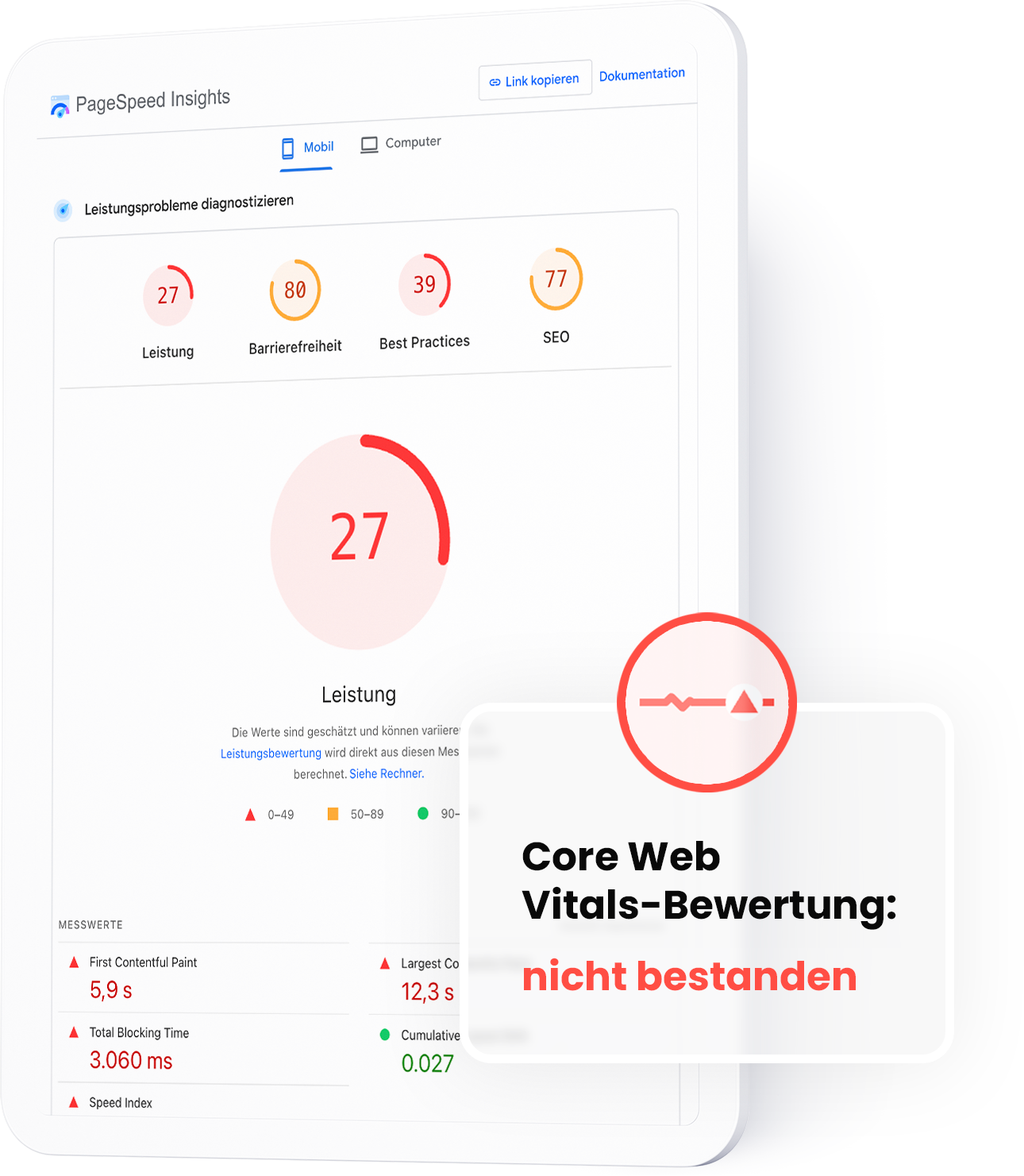
PageSpeed Insights is based on the open source tool Lighthouse and analyzes key performance indicators for loading speed, interactivity and visual stability, including the Core Web Vitals and metrics such as First Contentful Paint (FCP), Time to Interactive (TTI), Total Blocking Time (TBT) and Speed Index.
The analysis results in a score from 0 to 100, divided into three color ranges:
Green (90-100): good performance
Orange (50-89): optimization potential
Red (0-49): poor performance
A high score stands for technical quality, better user experience and higher visibility in search engines.
Making performance measurable
Important PageSpeed Insights metrics at a glance
The most important key figures for the PageSpeed evaluation are the Core Web Vitals. These metrics provide precise information about how a page performs when loading and how pleasant the user experience is. These include
Largest Contentful Paint (LCP)
Measures how quickly the largest visible element is loaded. Ideally less than 2.5 seconds
Interaction to Next Paint (INP)
Evaluates how quickly a page responds to user actions
Cumulative Layout Shift (CLS)
Shows how stable the layout remains when loading. A value below 0.1 is considered good
These values are supplemented by metrics such as the First Contentful Paint (FCP), which marks the time at which the first visible element appears, and the Total Blocking Time (TBT), which shows how quickly visible content is displayed. Together, these values provide a comprehensive picture of page performance and help to specifically identify and optimize weak points.
How we support you with Looker Studio
Our services as a digital agency
As an experienced digital agency, we support you in exploiting the full potential of Looker Studio for your company. With our in-depth expertise and deep understanding of data and analytics, we make complex relationships visible and transform your data into clear, actionable insights.
Optimization
Reduction of loading times through caching, minimization of CSS/JS and image compression.
SEO integration
Improving the page structure and content to increase organic visibility.
Mobile performance
Adaptation of the website for mobile devices to ensure an optimal user experience.
Monitoring & Analysis
Monitoring tools for monitoring and optimizing website performance.
Recognizing and optimizing loading time impediments
Frequent performance problems in practice
Many websites, especially those with CMS orstore systems, suffer from similar performance weaknesses. PSI reliably detects these and provides specific tips for optimization. Typical problems include
Non-optimized images: large image files or unsuitable formats (e.g. PNG instead of WebP) slow down the page load considerably.
Excessive use of JavaScript: Many or poorly structured JS files block rendering and cause loading delays.
Lack of lazy loading: Content such as images or videos are loaded immediately - even if they are not yet visible.
No or incorrect compression: GZIP or Brotli are often not activated or implemented incorrectly.
External scripts: Third-party elements such as tracking tools, chat widgets or social media plugins slow down the page noticeably.
Experienced & competent
burgdigital - Your Google PageSpeed Partner
Do you want to make your website fit for your digital marketing? We not only know our way around PageSpeed Insights, but are also happy to advise you on other measures and tools. This will help you increase your conversions and give your company a lasting boost.
Good loading times are a key factor for search engine optimization (SEO) and user experience. A high-performance website reduces the bounce rate, increases the length of stay and increases the likelihood of conversion.
At the same time, loading speed is a confirmed ranking factor in the Google algorithm - especially in the mobile-first index. Technically optimized pages therefore benefit from both better visibility in search results and higher user satisfaction.
A perfect score is not decisive - stable core web vitals in the green zone are crucial. Lab data provides reproducible indications of technical optimization potential, while field data reflects actual user behavior.
Both perspectives are necessary in order to make well-founded decisions. Continuous monitoring is essential, as changes to the design, system or third-party scripts can affect performance at any time.
A low score indicates optimization potential, but does not automatically mean acute pressure to act. The underlying measured values and their influence on the actual performance are decisive.
Instead of blanket measures, it is advisable to prioritize specific weak points - such as render-blocking resources or oversized media. Structured, step-by-step optimization leads to more sustainable success than hectic individual measures.
The technical optimization of a website should be a continuous process. If you want to achieve good loading times in the long term, you should establish the following measures in your technical setup:
Activate browser caching to provide returning visitors with content more quickly
File compression using GZIP or Brotli to reduce the amount of data
Image optimization through compression and the use of modern formats such as WebP
Lazy loading for images and embedded content to speed up the initial loading process
Minimizing and combining JavaScript and CSS to shorten loading times
Use of a content delivery network (CDN) to provide content geographically closer to the user
These measures should be integrated as automatically as possible in the development or deployment process, especially for dynamic systems such as content management systems or online stores.
Fast loading times are essential for a high-performance website - both in terms of user experience and visibility in search engines. Short loading times minimize bounces, promote interactions and make a measurable contribution to increasing conversions.
At the same time, Google takes page speed performance into account as a ranking factor, especially in the context of mobile indexing. Technically optimized websites thus create the basis for better rankings and greater user loyalty.