Google Search Console - Find technical SEO problems quickly & specifically
With the Google Search Console, you can identify technical problems, falling rankings or non-indexed pages - we help you to understand the causes and take targeted action.
How visible is your website currently on Google - and where is there untapped potential?
When visibility fails to materialize, it's often due to the foundation
Why is my website not being found on Google?
Is your website live - but barely visible in Google searches? The causes often lie in the technology: pages are not indexed, rankings collapse or mobile displays cause problems. With the Google Search Console, these weak points can be uncovered - and we help you to derive the right measures.
We see these SEO problems particularly often with customers
Pages not indexed
Google does not recognize certain pages correctly. Content does not appear in the search.
Loss of ranking
Visibility collapses - e.g. due to core updates or faulty structure.
Crawling problems
Incorrect redirects or blocking prevent indexing.
Mobile presentation
Mobile usability errors have a direct impact on the ranking.
The most important SEO tool that many underestimate
What exactly is the Google Search Console - and what is it used for?
The Google Search Console (GSC) is a free Google tool that specifically monitors the technical visibility of your website and helps to improve it. It shows how Google perceives the website - for example when crawling, indexing or displaying it in the search results.
In contrast to tools such as Google Analytics, the GSC does not provide any usage data, but concentrates on the technical and structural evaluation by Google itself. This makes it an indispensable tool for anyone who wants to work specifically on SEO topics such as error diagnosis, page structure, index coverage and ranking potential.
GSC and GA4 in comparison
Many people confuse Google Search Console with Google Analytics - but the two tools pursue different goals. The following overview shows the most important differences between the two tools.
Google Search Console (GSC)
- Shows how Google crawls and evaluates your website
- Detects technical SEO problems and indexing errors
- Provides data on impressions, clicks and rankings
- Ideal for visibility & technical optimization
Google Analytics (GA4)
- Analyzes the behavior of website visitors
- Provides key figures such as dwell time & bounce rate
- Shows which content performs well & how visitors interact with it
- Ideal for conversion optimization & target group analysis
How we use the GSC in everyday digital life
How you can use the Google Search Console in practice
The GSC is more than just a technical SEO tool - it provides concrete answers to typical challenges in the digital operation of websites and stores. Whether as an early warning system for errors or as a basis for data-driven optimization: The following use cases show how the GSC can be used specifically in everyday life.
1. understand crawl behavior
Find out how Google records your pages - and recognize crawling errors at an early stage.
2. optimize based on data
Improve content that generates many impressions but few clicks - e.g. through snippets or keywords.
3. make success measurable
Observe how technical measures or new content have a concrete effect on rankings and clicks.
4. detect errors faster
With warnings about mobile-friendliness, core web vitals or indexing errors, you can act in good time.
Key benefits of the Google Search Console at a glance
The GSC is more than just a tool for error analysis - it gives you permanent access to reliable Google data that you can use to sustainably improve the performance of your website. The following benefits make it an indispensable part of your SEO strategy.
Understand how Google ranks your website
See how Google ranks your website technically - regardless of user behavior or external tools.
Early error detection
Whether mobile problems, indexing errors or core web vitals: GSC provides you with warnings before rankings suffer.
Free of charge & data protection-friendly
The GSC is free to use, does not require cookies and does not collect any personal data - a plus for data protection & GDPR.
Central basis for SEO measures
The GSC provides the basis for technical audits, content optimization and monitoring - in agency projects as well as in ongoing operations.
Experienced & competent
Make targeted use of the GSC - with us at your side
Whether you are just starting out or want to optimize your existing SEO strategy: We support you in interpreting the Google Search Console correctly - and deriving specific measures from it.
The most important functions of the Google Search Console
The GSC offers a variety of tools and reports with which you can comprehensively analyze the performance of your website. Whether technical errors, ranking data or crawling statistics: The following functions will help you keep track of everything.
Performance report
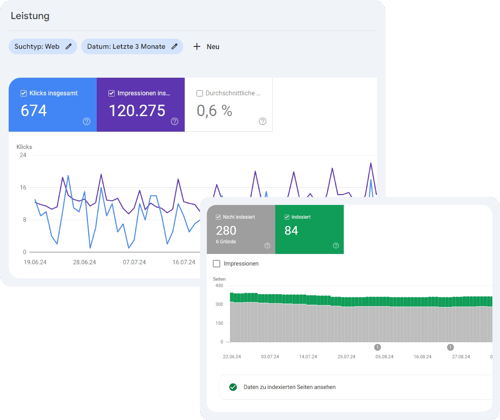
Impressions, clicks, CTR and rankings
Index coverage
Which pages are indexed, which are not - and why?
URL check
Test individual pages for indexing & problems
Sitemap
Recognize errors in the sitemap
Loading time
Display and loading behavior from Google's point of view
Finding errors is good. Fixing them is even better.
We help you to derive the right measures from the GSC data
The Google Search Console shows you where problems lie - we translate the data into concrete recommendations for action. As an agency, we support you in analysing crawling errors, fixing mobile problems, optimizing loading times or targeting content to search queries. This is how technical analysis becomes real performance.
Professional Google Search Console support from our agency
We support you from setup to targeted website optimization - practical, transparent and efficient. We rely on proven processes, many years of SEO experience and genuine partnership at eye level. We bring these servicesand strengths to the table:
From analysis to technical implementation, we work in partnership with you.
Our conclusion on the GSC
An indispensable tool - if you know how to use it
The Google Search Console provides you with valuable insights into the performance of your website - from Google's own perspective. Whether technical errors, indexing problems or content potential: if you use the GSC correctly, you gain clarity, control and real optimization approaches. We help you to achieve exactly that.
Experienced & competent
burgdigital - Your GSC partner
Would you like to make your website or online store fit for SEO and your digital marketing with the GSC? We not only know our way around the Google Search Console, but are also happy to advise you on further measures. This will help you increase your conversions and bring your company forward in the long term.
The GSC is a free tool from Google that website operators can use to monitor and optimize the visibility and technical performance of their website in Google search results.
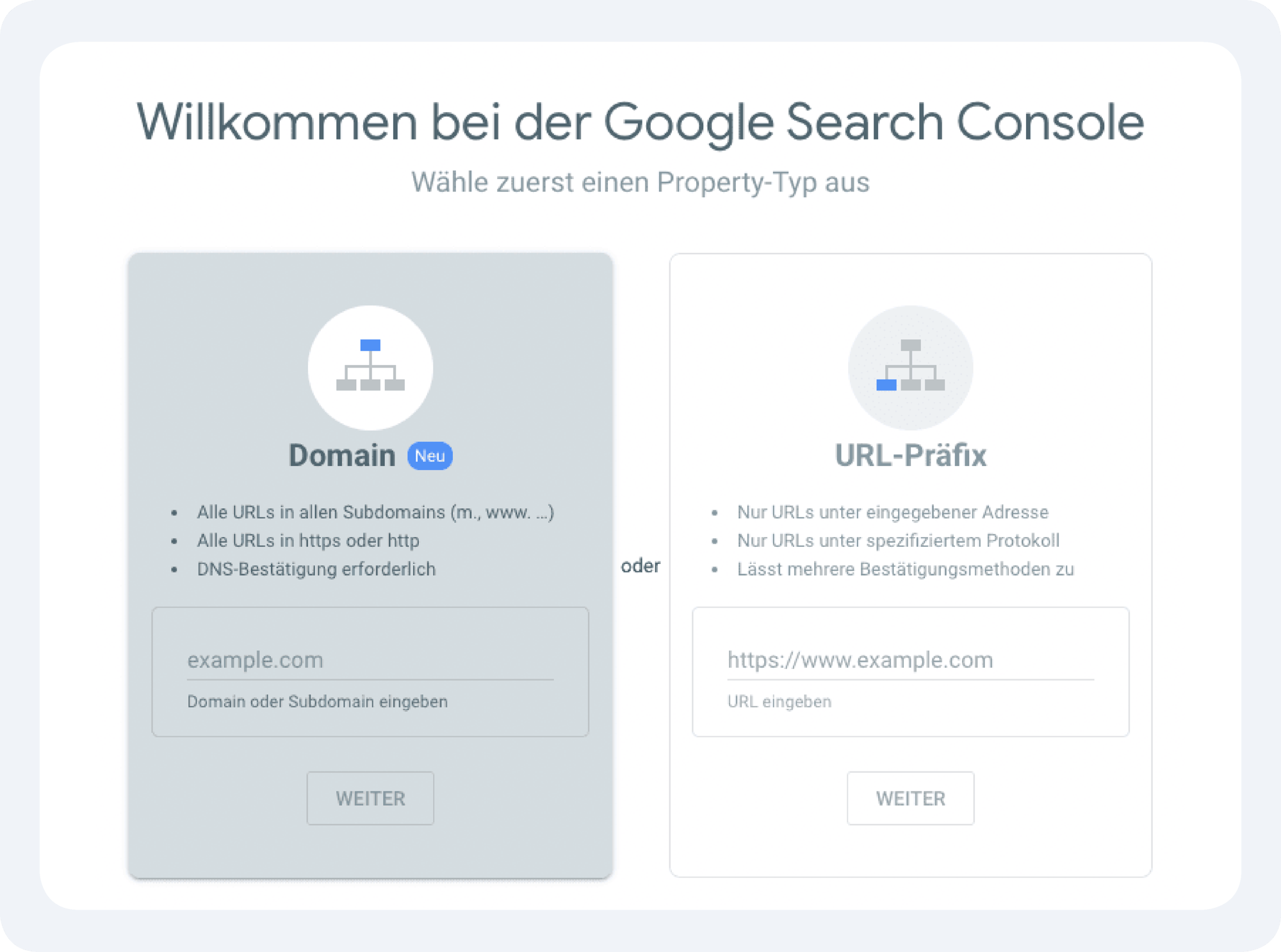
The setup is done via the Google Search Console website. There you select a property (domain or URL prefix), verify ownership (e.g. via DNS entry), store the sitemap and can then read out data.
Using the "URL check" function, an individual page can be checked and, if necessary, requested for indexing. This is particularly useful for new or revised pages.
In the GSC, crawling problems, indexing errors, mobile-friendliness problems and core web vitals are clearly displayed under the menu item "Pages" or in the corresponding reports.
Impressions show how often your page appeared in the search results. Clicks show how often users have actually clicked on it. The position indicates the average ranking of your page for a specific search term.
A regular check - e.g. weekly - helps to react to technical problems or ranking changes at an early stage. Daily monitoring can also be useful for larger projects.
The GSC shows how Google evaluates your website (e.g. technical errors, search queries, indexing status). Google Analytics, on the other hand, shows how users behave on your website (e.g. page views, bounce rate).
Yes, the GSC does not store any personal user data, works without cookies and is therefore data protection-friendly - a plus point compared to classic web analysis tools.
First, you should analyze the affected pages with the URL check. Common reasons are noindex tags, technical errors or insufficient content. The page can then be specifically submitted for indexing via the GSC.
For anyone who wants to receive or build up organic traffic from Google - i.e. website operators, SEOs, online stores, editorial offices or agencies. It is also a valuable tool for smaller companies.